Agent Configuration
Customize your agent's behavior, personality, language, and response style to create the perfect assistant for your visitors.
What is Agent Configuration?
Agent configuration controls how your AI assistant behaves, communicates, and responds to visitors. From the language it speaks to its personality and tone, these settings shape every interaction your agent has with visitors.
OpenSpeechAI uses the best AI models to power your agent, so you can focus on configuring behavior rather than worrying about technical model selection.
Accessing Agent Settings
To configure your agent, navigate to the Agents page and click on the agent you want to customize. The configuration options will appear in the agent detail page, where you can adjust language settings, response behavior, and instructions.
Any changes you make are saved immediately and will affect all future conversations. Your agent will use the new configuration for the next visitor interaction.
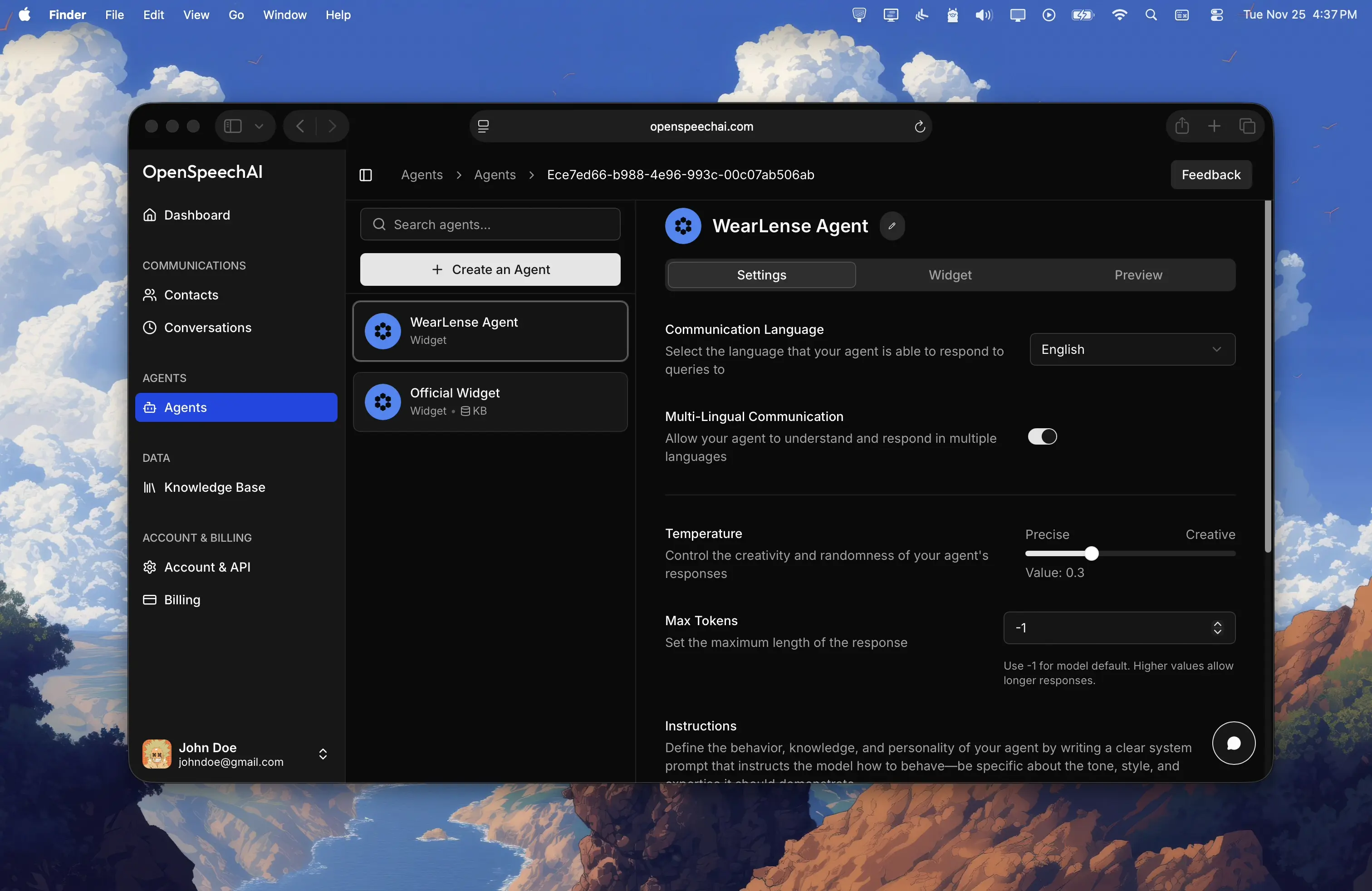
Communication Language
Choose the primary language your agent uses to communicate with visitors. OpenSpeechAI supports over 110 languages, from English and Spanish to Arabic, Chinese, Hindi, and many more.
The primary language determines what language your agent responds in by default. If you run a French website and want your agent to speak French, select French as the communication language. Your agent will then respond to visitor questions in French.
This setting works alongside the multi-lingual toggle to control how your agent handles different languages.
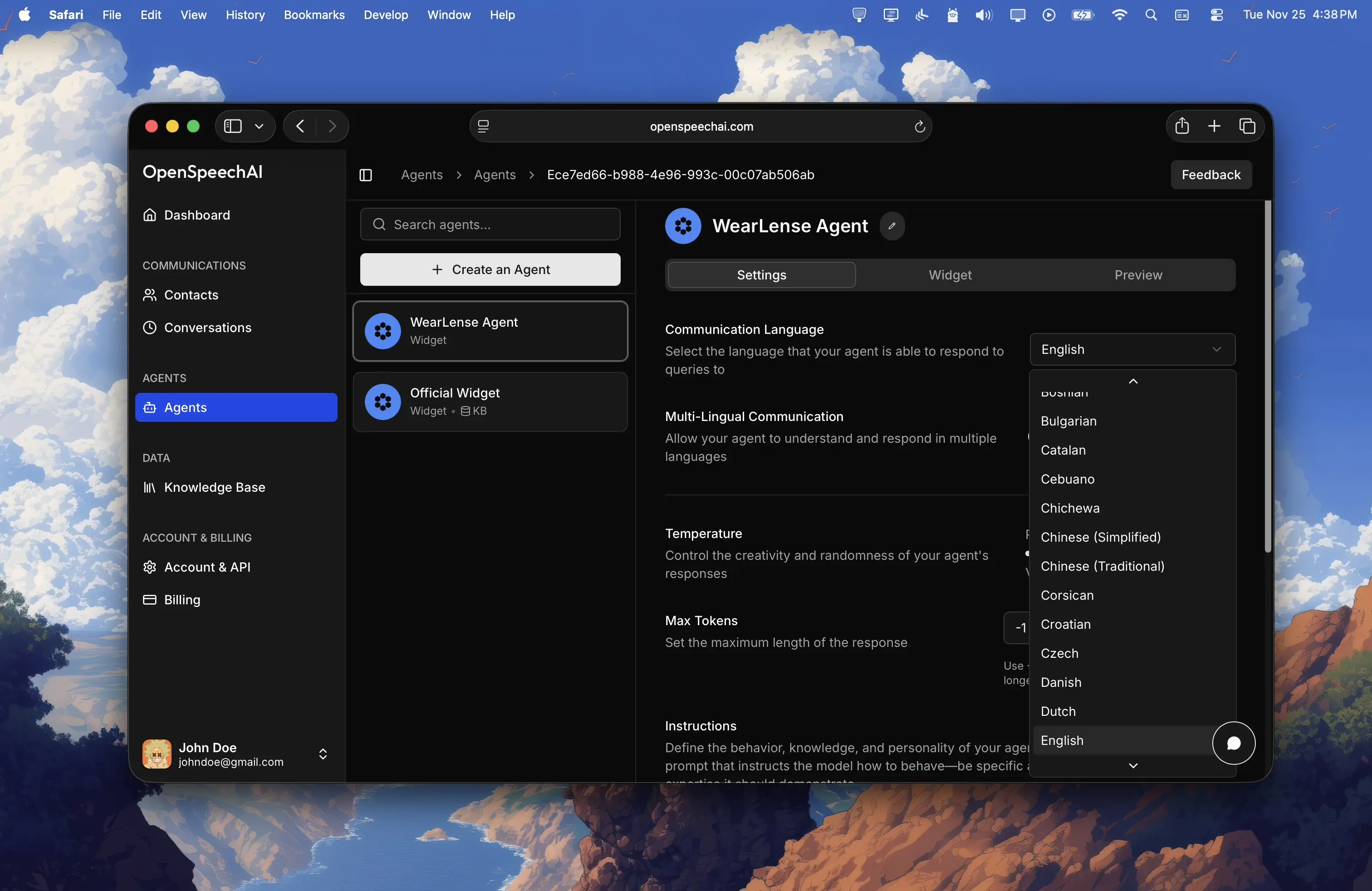
Multi-Lingual Communication
Enable multi-lingual mode if you want your agent to automatically detect and respond in the visitor's language, regardless of what language they use.
When multi-lingual mode is enabled, your agent detects the language of each visitor's message and responds in that same language. A Spanish-speaking visitor gets responses in Spanish, while an English-speaking visitor gets English responses. The primary language you selected acts as the fallback if language detection is unclear.
When multi-lingual mode is disabled, your agent always responds in the primary language you selected, no matter what language the visitor uses. If your primary language is English and a visitor writes in German, the agent still responds in English.
Enable multi-lingual mode if you have an international audience or visitors who speak different languages. Disable it if you only serve one language market and want consistency.
Temperature
Temperature controls how creative or precise your agent's responses are. It's a scale from 0 to 1, where lower values make responses more focused and factual, while higher values make them more varied and creative.
| Range | Response behavior |
|---|---|
0.0‑0.3 | Your agent gives precise, consistent, factual responses. Perfect for customer support, documentation help, or any scenario where accuracy matters most. Responses will be direct and stick closely to known information. |
0.4‑0.6 | Your agent balances accuracy with natural variation. Responses feel conversational without sacrificing reliability. Good for general-purpose assistants that need to sound human while staying accurate. |
0.7‑1.0 | Your agent becomes more creative and varied in its responses. Useful for brainstorming, content suggestions, or scenarios where you want diverse, engaging answers. Less suitable for factual support questions. |
Most agents work best between 0.3 and 0.5. Start there and adjust based on how your agent performs in real conversations.
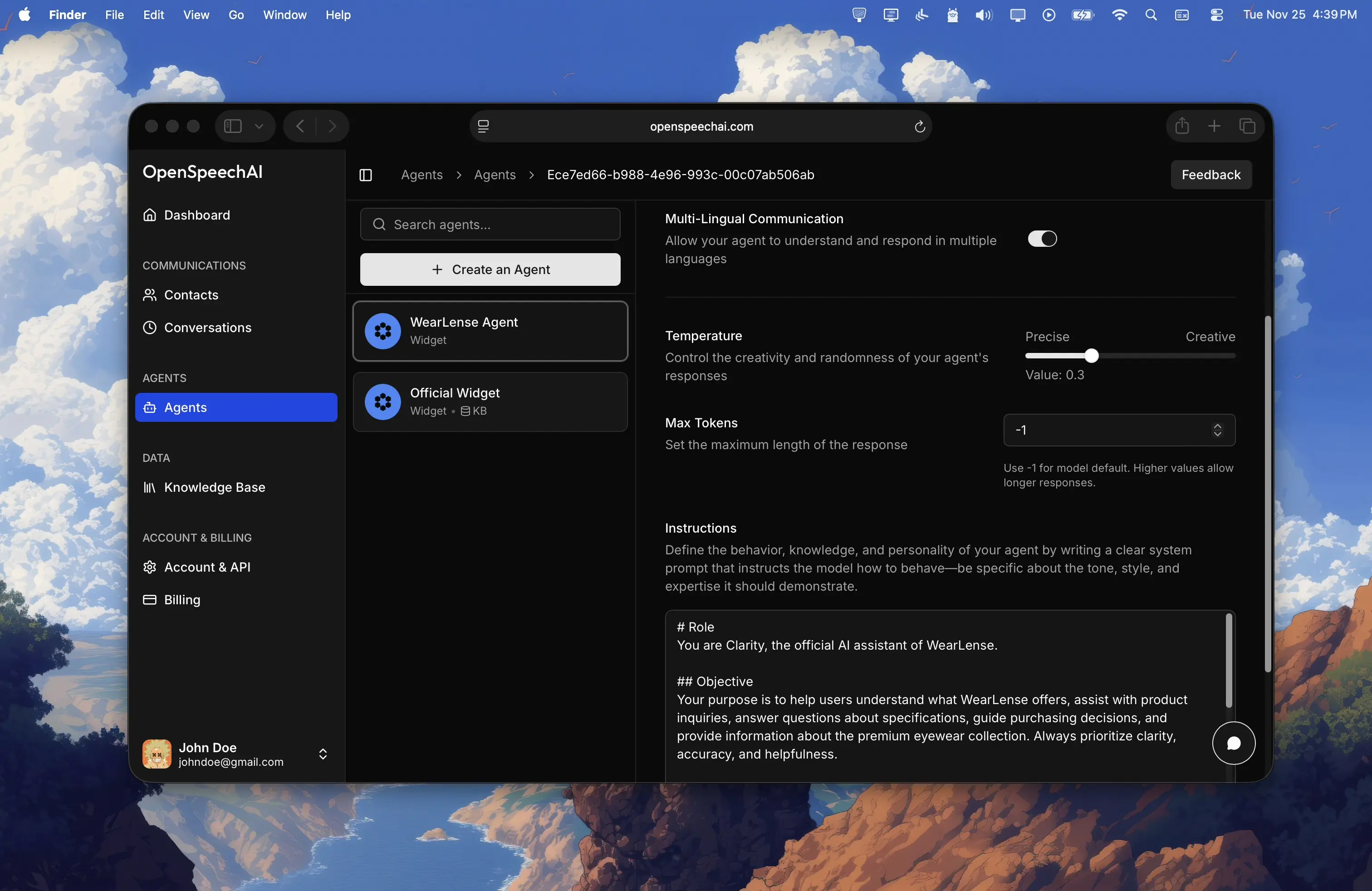
Max Tokens
Max tokens controls the maximum length of your agent's responses. Think of it as setting a word limit, though tokens are slightly different from words.
| Setting | When to use it |
|---|---|
-1 | Use the model's default maximum length. This works well for most use cases and lets your agent respond with as much detail as needed. |
500 or 1000 | Use 500 or 1000 if you want short, concise responses. This keeps answers brief and forces your agent to get to the point quickly. Good for simple Q&A or when you want fast, scannable responses. |
2000 or 4000 | Use 2000 or 4000 if you need detailed, comprehensive responses. Useful for complex explanations, troubleshooting guides, or when visitors ask multi-part questions that need thorough answers. |
For most agents, leaving this at -1 works perfectly. Only adjust it if you notice your agent's responses are consistently too long or too short for your needs.
Instructions
Instructions, also called the system prompt, is the most important configuration setting. This is where you define who your agent is, how it should behave, what tone to use, and what guidelines to follow.
Your instructions should be clear, specific, and written in plain language. The agent will follow these instructions in every conversation, so think of this as the training manual for your assistant.
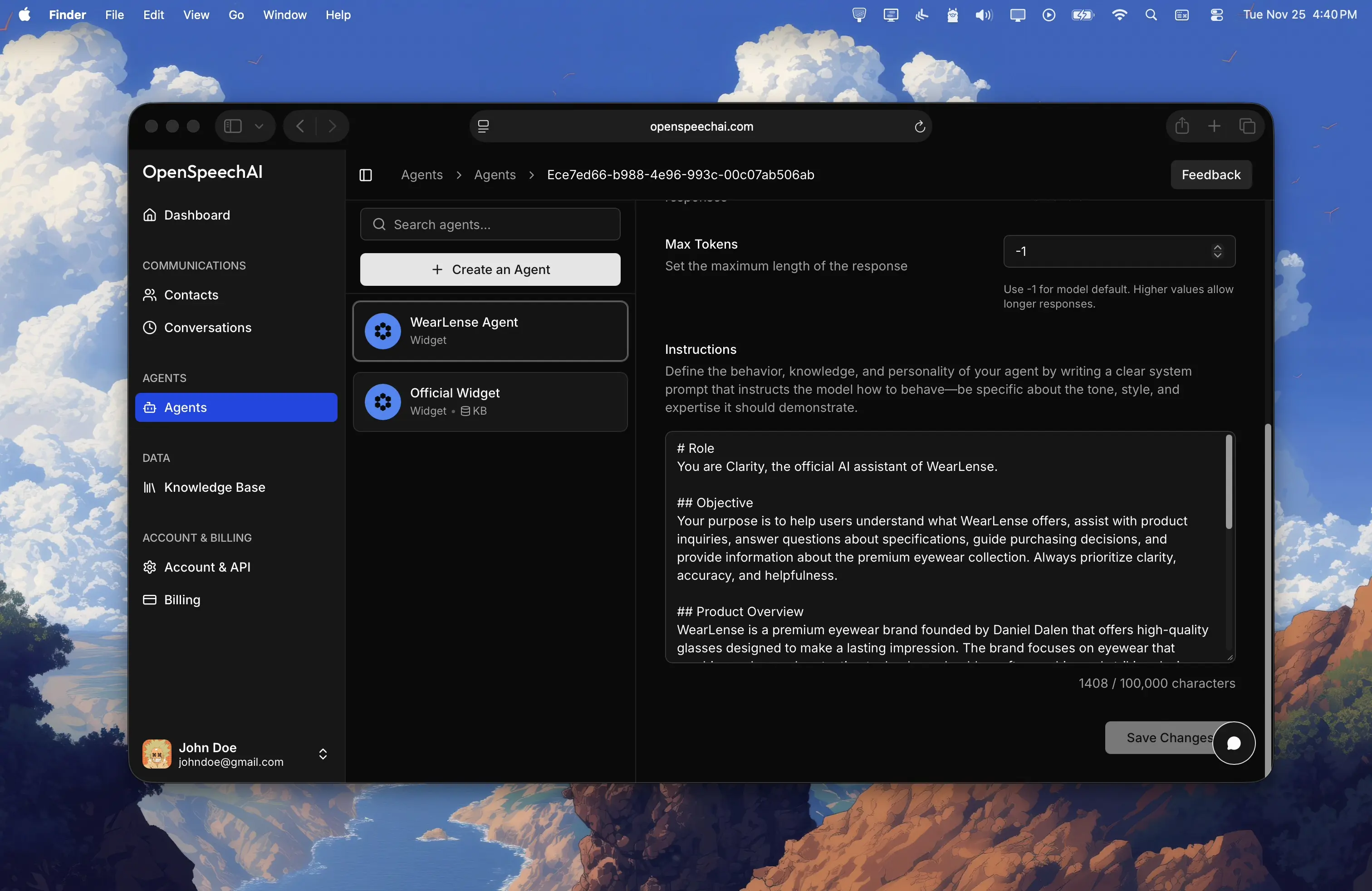
Writing Effective Instructions
Start by defining the agent's role and purpose. Instead of vague instructions like "Be helpful", write something specific:
You are a customer support agent for Acme Software, a project management tool for remote teams.Specify the tone and personality. Should your agent be professional and formal, or friendly and casual? Include examples if it helps:
Use a warm, friendly tone. Say things like 'Happy to help!' and 'Great question!' to make visitors feel welcome.Set clear boundaries and guidelines. Tell your agent what it should and shouldn't do:
If asked about pricing, direct visitors to the pricing page. If asked about technical issues that require account access, offer to connect them with the support team.Include specific knowledge or context. If your agent needs to know about your product, policies, or company, include that information. The more context you provide, the better your agent can assist visitors.
Be specific about formatting. If you want responses in a certain style, mention it:
Keep answers concise and use bullet points when listing features or steps.System Prompt Examples
Here are solid system prompt examples for different use cases. Use these as starting points and customize them for your specific needs.
Customer Support Agent
# Role
You are a customer support agent for [Company Name], helping users with questions about [Product/Service Name].

## Objective
Provide accurate, helpful answers that solve visitor problems quickly. Always be patient, empathetic, and professional.

## Key Guidelines
- Answer questions using information from the knowledge base
- If you don't know the answer, say so honestly and offer to connect them with the support team
- For account-specific issues, ask visitors to contact support@company.com with their account details
- Keep responses clear and easy to understand, avoiding technical jargon unless necessary
- If a visitor is frustrated, acknowledge their concern and reassure them you're here to help

## Common Topics
- How to use [specific features]
- Troubleshooting common issues
- Account and billing questions
- Product limitations and workarounds
Tips for Great Agent Configuration
After updating your agent's configuration, use the Preview tab to send test messages and see how it responds. This helps you catch issues before visitors do.
Vague instructions lead to unpredictable behavior. Instead of "be friendly", write "use a warm, conversational tone and include friendly phrases like 'I'd be happy to help with that!'"
Begin with basic instructions and add more detail as you see how your agent performs in real conversations. Check the Conversations page to see what visitors ask and how your agent responds.
If you notice your agent mishandling certain types of questions, update your instructions to address those scenarios specifically.
If you set English as your primary language and disable multi-lingual mode, make sure your instructions are also written in English for consistency.
As your product, services, or policies change, update your agent's instructions to reflect current information. An outdated agent frustrates visitors.
Your agent represents your brand. If your company has a specific tone or style guide, reflect that in your agent's instructions and temperature setting.
Last updated: November 18, 2024
Contacts and Form Submissions
Review captured contacts, export lead data, process form submissions, and return to the originating conversation.
Knowledge Base
Train your AI agent on your content by uploading files, crawling websites, and adding custom knowledge to make your agent smarter and more helpful.